
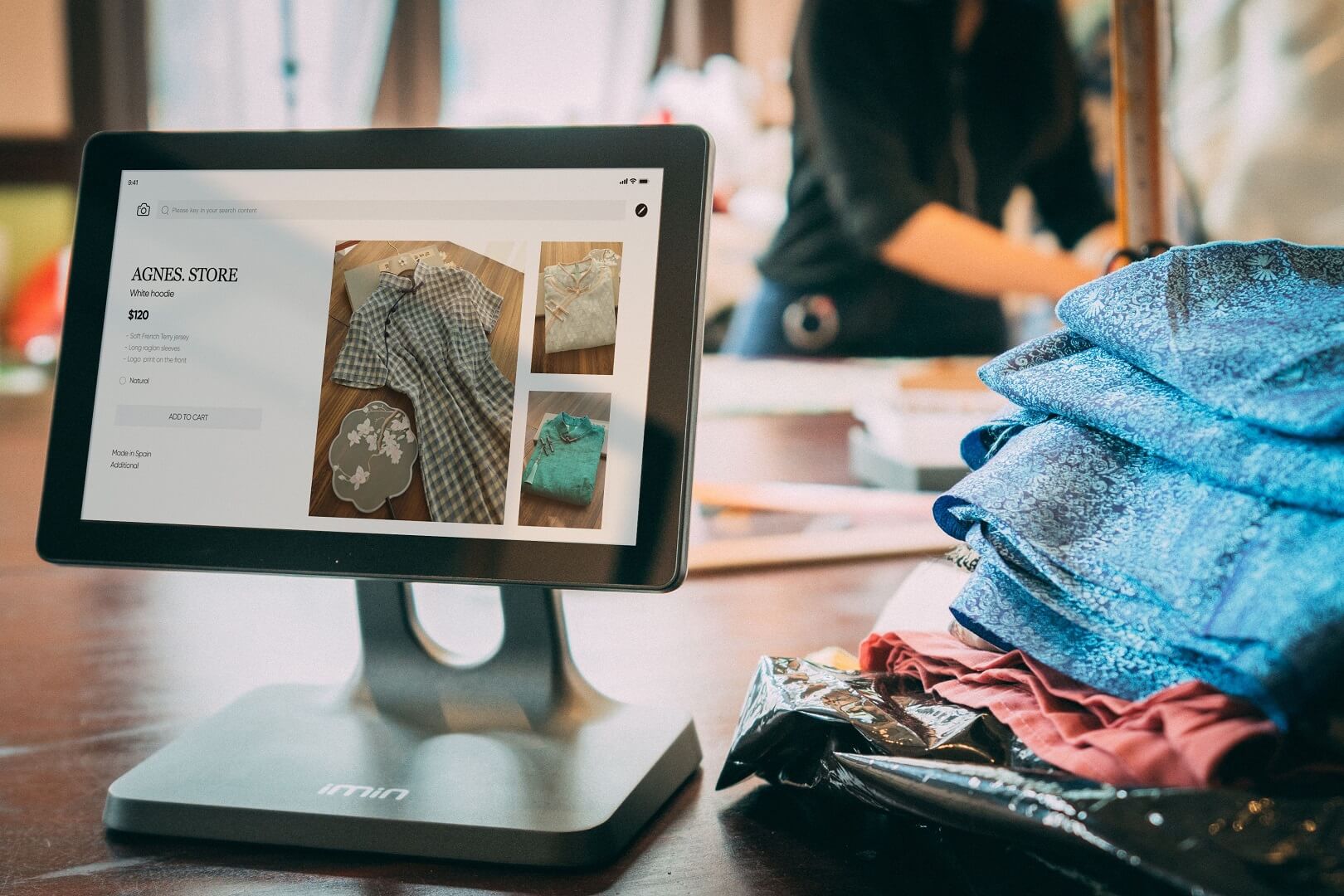
Retail POS and ecommerce integration means that your shop counter and your online store work from the same product catalogue, the same stock count, the same customer records and the same reports. When the two are connected, a sale in either place reduces the same stock, a customer is recognised wherever they buy, and you can see the whole business in one set of numbers. When they are not, you run two businesses that happen to share a name, and you pay for the gap in oversold items, mismatched prices, duplicate customers and hours of reconciliation.
This guide explains how to connect a physical shop or stall to an online store in India. It sets out what breaks when systems are separate, the six layers of a proper integration, the ways inventory can be synchronised and why timing matters, how to organise your catalogue, SKUs and barcodes, how to handle pricing, promotions, customers, payments, GST invoices and returns across channels, what hardware and connectivity a POS needs, how to run a stock count and a six-week implementation, and how ShopMate's POS works, including its limits. It is written for retailers, boutique owners, stall and pop-up sellers and wholesalers who already sell or plan to sell in person.
Quick answer: Choose a setup where the shop and the online store draw from one shared stock pool and one catalogue, rather than two systems that exchange data now and then. Give every variant a unique SKU and a barcode, take a physical stock count before you go live, keep customers and prices consistent across channels, issue GST invoices from both channels in separate numbering series, and review one combined report. Test the checkout, the counter and a return in both directions before you launch.
What breaks when your shop and your store are separate
Most retailers start with a billing machine or notebook at the counter and add an online store later. The two then drift apart. These are the problems that show up first:
| Problem | How it arises | What it costs |
|---|---|---|
| Overselling | The last unit is sold in the shop and online at nearly the same time | A cancelled order, an apology and sometimes a lost customer |
| Phantom stock | The online store shows items that sold at the counter yesterday | Orders you cannot fulfil |
| Hidden stock | Items in the shop are marked sold out online because no one updated the count | Lost online sales |
| Price mismatch | Price changes are made in one place and not the other | Customer complaints and margin leaks |
| Duplicate customers | The same person is a name in a notebook and an account online | No view of lifetime value; no way to reward loyalty |
| Split reports | Online and offline sales sit in different tools | Hours at month end and decisions based on half the picture |
| Two invoice systems | Counter bills and online invoices are made differently | Numbering and tax errors; harder GST reconciliation |
| Returns across channels | An online order is returned at the shop, or the reverse | Stock and refunds recorded in the wrong place |
| Promotions out of step | A coupon or sale runs in one channel only | Confusion and channel conflict |
| Reordering by guesswork | Supplier orders are based on one channel's sales | Stock-outs on fast movers and dead stock on slow ones |
None of these is dramatic on its own. Together they explain why many retailers who add an online store find their workload doubles while their clarity halves.
The six layers of an integration
When someone says a POS and a store are integrated, ask which layers they mean. A thorough integration connects all six.
| Layer | What should be shared | Direction |
|---|---|---|
| 1. Catalogue | Products, variants, SKUs, barcodes, HSN codes, tax rates, images, descriptions | One master, used by both channels |
| 2. Inventory | Stock quantity per variant and per location, reservations, adjustments | Two-way and immediate |
| 3. Orders and sales | Every sale, with its channel, items, discounts, payment and operator | Both channels write to one order history |
| 4. Customers | Names, phone numbers, addresses, order history | Linked by phone number or account |
| 5. Money and tax | Payments, refunds, GST invoices, credit notes, cash reconciliation | One ledger with channel tags |
| 6. Reporting | Sales, stock, margin, staff performance and exports | One report with a channel split |
Layers one and two matter most, because mistakes in them produce overselling and mispricing. If a vendor offers only a nightly export of sales, you have layer three at best.
How inventory can be synchronised
There are three ways to keep stock consistent across a shop and a store, and they behave very differently under pressure.
| Method | How it works | Strengths | Weaknesses |
|---|---|---|---|
| Single shared pool | The POS and the online store are parts of one system that read and write the same stock record | No delay; no conflict; one place to audit | You must use that vendor's POS and store together |
| Connected systems (API or webhook) | Two separate products send stock changes to each other as they happen | You can use best-of-breed tools | Short delays; failures when one side is down; two systems to maintain |
| Scheduled or manual sync | Stock files are exported and imported every few hours or days | Cheapest to set up | Long windows in which both channels sell the same unit |
Why timing decides how many oversells you get
Take a variant with five units left. A customer buys two online while another buys three in the shop, within a few minutes of each other. In a shared pool, the second sale sees the true remaining stock and either succeeds or is refused. In two systems that sync every thirty minutes, both sales may succeed against the same five units, and if a sixth customer arrives before the next sync, you have promised stock you do not have. ShopMate's POS order service, for instance, deducts inventory in the same step that creates the order and refuses the sale with an insufficient-stock error if the units are not there, rather than recording the sale first and fixing the stock later.
The cost of oversells: an illustration
The figures below are assumed. A store with scheduled sync oversells twelve orders a month. Each oversell costs about ₹150 in handling, refunds and apology gestures, and one in four causes a customer to leave, losing an assumed lifetime contribution of ₹800.
| Item | Calculation | Monthly cost |
|---|---|---|
| Handling and refunds | 12 × ₹150 | ₹1,800 |
| Customers lost | 12 × 25% = 3 customers × ₹800 | ₹2,400 |
| Total | ₹4,200, or ₹50,400 a year |
The sums: 12 × 150 is 1,800; one quarter of twelve is three customers, and 3 × 800 is 2,400; together ₹4,200, and twelve months make ₹50,400. The point is not the exact figure but the pattern: the cost scales with how fast your stock sells and how long the sync window is, which is why fast-moving shops benefit most from a single shared pool.
Safety stock and reservations
Whatever the method, add two protections. A safety buffer holds back a few units from online sale for each fast-moving item, so a sync delay cannot oversell your last pieces. A reservation rule decides when stock is committed: at order placement for online orders, or at payment for pay-later orders, so that unpaid orders do not hold stock for days. Write these rules down and apply them to every variant.
Catalogue, SKUs and barcodes
Integration succeeds or fails on catalogue discipline. If the same product is spelled three ways, nothing will line up.
- One product, many variants. A shirt is one product with variants for size and colour. Each variant has its own SKU, stock count and price.
- A unique SKU for every variant. Use a consistent scheme, for example category, style, colour and size, and never reuse an SKU for a different item.
- HSN code and tax rate on every product. The same data should drive the online invoice and the counter bill. Our guide to GST invoices for online stores explains the invoice contents.
- Units of measure. Pieces, kilograms or metres, set once.
- Cost price. Record it so margin reports are meaningful.
- Online-only content. Descriptions, images and size charts matter for the web; the counter needs a short name and a barcode.
Barcodes: GTIN, EAN-13 and internal codes
The EAN-13 is a 13-digit barcode that forms part of the Global Trade Item Number standard; its digits contain a GS1 prefix, a manufacturer code, a product code and a check digit that helps scanners detect errors (Wikipedia, International Article Number). GS1 India states that it is the only authorised body in India to provide barcodes starting with 890, and that sellers who plan to sell on retail chains or ecommerce marketplaces need GS1 barcodes or GTINs (GS1 India). If you sell branded products that already carry a manufacturer's barcode, use it. If you make your own products, you do not need a GS1 number to run a shop, and an internal code, such as a QR code carrying your SKU, works for your own counter. Do not invent 13-digit numbers that look like real GTINs, because they may clash with genuine codes.
ShopMate follows this approach: its label printing produces an EAN-13 barcode for variants that have a 13-digit GTIN and a QR code carrying the SKU for variants that do not.
Pricing and promotions across channels
- Decide your price policy. The simplest rule is one price in both channels. Channel-specific prices are possible but create arguments when customers compare.
- Keep the maximum retail price in view. Packaged goods carry an MRP, and your prices must respect it.
- Apply promotions deliberately. If a coupon works online, say whether it works at the counter. ShopMate's POS lets staff apply a coupon code to a counter sale.
- Control overrides. Staff sometimes need to adjust a price at the counter. Restrict who can do it, and keep a record of every override. ShopMate records price overrides with an audit trail.
- Avoid channel conflict. Use online-only bundles or counter-only offers rather than undercutting yourself.
Customers across channels
A phone number is the simplest common key between a counter and an online account. A good POS captures the number at the till, looks up whether the person already has an account, and links the sale. ShopMate's POS can capture a walk-in customer's name and phone number, look up an existing customer, and link the sale to their account, so their purchase history includes both channels.
Collecting phone numbers at a counter is processing personal data. India's Digital Personal Data Protection Act, 2023 requires notice, consent and reasonable security safeguards (DPDP Act, 2023, MeitY). Put a short notice at the counter saying why you ask, for example for the invoice, warranty and offers, ask permission before sending marketing messages, and keep the data secure. If you send invoices through WhatsApp, WhatsApp's Business Messaging Policy requires opt-in permission before messaging people (WhatsApp Business Messaging Policy). Have a lawyer review your wording.
Payments at the counter
A counter in India typically takes cash, UPI and cards. UPI, operated by the National Payments Corporation of India, processed about 20 billion transactions in August 2025 according to Wikipedia's UPI entry, so a UPI option at the till is expected. Questions for any POS:
- Which payment methods can be recorded, and how is each reconciled at the end of the day?
- Does the invoice show a UPI QR code for the exact amount?
- Can one sale be paid partly in cash and partly by UPI?
- Is there a way to record a sale as pending and mark it paid later, for credit or advance arrangements?
- How are card payments handled, through a separate terminal or an integrated one?
Cash discipline needs a routine: count the opening cash, record every sale, count the closing cash and compare it with the system total. ShopMate organises counter selling in sessions, with opening and closing cash recorded for each, so the difference between expected and counted cash is visible when a session is closed.
GST invoices from two channels
Whether the sale happens online or at the counter, a GST-registered seller needs a correct tax invoice with the particulars in Rule 46 of the CGST Rules (CGST Rules, 2017, Rule 46). Points to settle for an omnichannel business:
- Numbering series. The rule allows more than one series, so use a separate series for the counter and for online orders, each consecutive, unique for the financial year and no longer than sixteen characters. Our guide to automated GST billing explains how to design them.
- Business buyers at the counter. A registered buyer who wants credit needs their GSTIN and business name on the invoice. Check that your POS can capture them.
- Receipt format. Small thermal receipts are quick at a busy counter, and an A4 invoice suits larger orders. Both must carry the legally required details.
- Tax rates and HSN codes should come from the same product record as the online store.
- Reports for your accountant must combine both channels and keep them distinguishable. Our guide to GST compliance for ecommerce sellers covers the monthly routine.
Returns and exchanges across channels
Customers will return online purchases at your shop and shop purchases through your website. Decide the rules in advance and make sure your system can record them.
| Case | Policy decision | System requirement |
|---|---|---|
| Online order returned at the shop | Accept it, with the same conditions as online returns | Look up the online order, record the return, restore stock, refund by the right method |
| Shop purchase returned by courier | Accept or require a visit | Link the counter sale to the customer so a reverse pickup can be created |
| Exchange at the counter | Allow, with a price difference settled | Credit the old item and bill the new one in a single transaction |
| Refund method | Original payment method, bank transfer or store credit | Record who approved the refund and how it was paid |
| Tax treatment | Credit note referring to the original invoice | A credit note series linked to invoices from either channel |
Returns across channels are where integrations most often fall short, so ask each vendor to demonstrate a return in each direction before you decide.
Staff, roles and daily operations
- Roles. Counter staff should be able to bill and scan, but not change prices, delete orders or see margins. ShopMate includes staff roles and access control (ShopMate).
- Sessions or shifts. Opening and closing a selling session makes responsibility and cash clear.
- End-of-day report. A summary of sales by payment method, operator and hour, with cash counted against expected.
- Low-stock alerts. Alerts while selling help you move stock between channels or reorder in time.
- Operator performance. Sales by staff member show who sells what and when you need cover.
Reporting: one view of two channels
A combined view should answer these questions without exporting anything:
- What did each channel sell this week, and at what margin?
- Which products sell in the shop but not online, and the reverse?
- Which items are about to run out in either channel?
- How does each staff member or location perform?
- What is the profit after the costs of each channel, including platform fees and shipping?
The Analytics tab on ShopMate's site describes revenue, profit and order analytics, online-versus-offline comparison, top-selling products and categories, low-stock alerts and exportable reports (ShopMate). In the admin panel, the offline analytics include sales by location, event and operator, a map of where orders were placed, and CSV export, and the store insights page gives a fiscal-year profit and loss view that splits online and offline revenue.
Hardware, setup and connectivity
| Item | Notes |
|---|---|
| Counter device | A laptop, tablet or phone with a modern browser, if the POS runs in a browser |
| Barcode scanner | A USB or Bluetooth scanner that behaves like a keyboard needs no special software; camera scanning is a back-up |
| Receipt printer | An 80 mm thermal printer for quick receipts |
| Label printer or sheet printing | For product labels; A4 sticker sheets are a low-cost start |
| Cash drawer | Optional; some retailers use a locked box |
| Internet connection | Essential for a POS that runs online; plan a backup such as a mobile hotspot |
| Power backup | A small UPS keeps the counter running through short outages |
Connectivity deserves a plain statement. A web-based POS needs an internet connection to record sales and update shared stock. ShopMate's POS is a web application, and we did not find an offline mode in the product, so plan a backup connection and a manual fallback, such as a paper bill book that you enter after the connection returns. If you sell at events or stalls with poor coverage, test the venue's signal before relying on it.
Taking a stock count before you go live
An integration only works if the starting stock is right. Run a physical count before you switch on a shared pool:
- Freeze movements. Choose a quiet time, and stop receiving or selling during the count.
- Count by variant, using the barcode or SKU, in one pass, with two people for high-value items.
- Compare with your records. For each variant, variance equals counted quantity minus recorded quantity.
- Investigate large variances before you adjust, because they point to a process problem such as unrecorded returns or damaged stock.
- Enter the counted quantities as the opening stock in the system, with the date and the person responsible.
- Schedule cycle counts, for example the fastest-moving ten per cent every week, to keep accuracy high.
A simple accuracy measure is the share of variants where counted equals recorded, divided by all variants counted. Aim to know your baseline, then track the trend.
A six-week implementation plan
| Week | Focus | Finish by the end of the week |
|---|---|---|
| 1 | Catalogue clean-up | One list of products and variants; unique SKUs; HSN codes and tax rates reviewed with your accountant; cost prices entered |
| 2 | Barcodes and labels | Manufacturer barcodes captured where they exist; internal codes assigned for the rest; labels printed and applied to stock |
| 3 | Stock count | Full physical count; variances investigated; opening stock entered |
| 4 | Set-up and training | Locations, sessions, staff roles, payment methods and receipt formats configured; staff trained on billing, returns and end-of-day |
| 5 | Parallel run | The counter uses the new system while the old records continue; compare totals daily |
| 6 | Go live and review | Old process retired; first end-of-day reports checked; return tested in both directions; first cycle count completed |
Common mistakes
- Going live without a stock count. The system will faithfully spread your old errors.
- Reusing or duplicating SKUs. Every variant needs one unique code.
- Different prices in different places. Customers notice immediately.
- Letting everyone override prices. Control and record it.
- Ignoring connectivity. A POS that depends on the internet needs a backup plan.
- Forgetting returns. Test them in both directions, with credit notes.
- Collecting customer data without notice. Tell customers why you ask.
- Using one numbering series for everything. Separate series simplify reconciliation.
- Not training staff. The best system fails when the counter team works around it.
How ShopMate's POS works
ShopMate's offline POS lets merchants sell from a shop, stall or pop-up while sharing one stock pool and one admin account with their online store, which is the single-pool approach described above. Its site lists walk-in order billing, online and offline inventory sync, cash, UPI and card payments, quick product search and barcode scanning, staff roles, printed receipts and GST invoices, and daily sales summaries (ShopMate). From the product itself, we can add the following details:
- Locations and sessions. Merchants create permanent shops, pop-ups or event stalls and open a selling session for each, recording opening and closing cash.
- Scanning and search. Staff can add items by scanning a barcode or QR code that carries the SKU, or by searching.
- Labels. The admin panel prints barcode labels, as EAN-13 where the variant has a 13-digit GTIN and as a QR code of the SKU otherwise, and prints QR labels on A4 sheets.
- Shared stock. A counter sale deducts stock in the same step as the order, and a sale is refused if the stock is not available.
- Customers. Staff can capture a walk-in customer's name and phone, look up an existing customer, and link the sale to their account.
- Payments. Cash and UPI can be recorded, and a sale can be left pending and marked paid later; coupons can be applied at the counter.
- Invoices. Receipts print in 80 mm thermal and A4 formats, and an invoice can carry a UPI QR code for the amount. Optionally, an invoice can be sent to the customer's WhatsApp where the session has that setting enabled.
- Controls and visibility. Price overrides are logged, low-stock alerts appear during a session, each session has an end-of-day PDF report, and offline analytics show sales by location, event and operator with a map and CSV export.
- Wholesale. Bulk orders to wholesalers are supported with credit limits and outstanding balances.
Limits to know about: the POS runs in a web browser and needs an internet connection, and as far as we found there is no offline mode. For GST, counter invoices follow the platform's invoice template, so check how the supplier details, invoice numbering and business-buyer GSTIN capture work at the counter against the points in this guide, and have your accountant review sample invoices. Ask the team whether split payments, returns at the counter and credit notes are supported in the form you need. Pricing is a flat 5% commission plus 18% GST on every order, with no setup fee and no yearly maintenance charge (ShopMate pricing); ask how the commission applies to counter and bulk orders before you decide.
Frequently asked questions
What is POS and ecommerce integration?
It is a setup in which your shop's point-of-sale system and your online store share the same product catalogue, stock, customer records and reports, so that a sale in one channel immediately updates the other and you see the whole business in one place.
Why does inventory sync matter so much?
If the shop and the store keep separate stock, the same unit can be sold twice, and items can show as sold out online while sitting on your shelf. A shared stock pool, or fast synchronisation between systems, prevents overselling and lost sales.
Do I need a GS1 barcode to run a shop?
Not to run your own counter. Branded goods carry the manufacturer's barcode, and for your own products an internal code such as a QR code of your SKU works. GS1 India says sellers who plan to sell on retail chains or ecommerce marketplaces need GS1 barcodes or GTINs.
Can the same GST invoice system serve my shop and my store?
It should, drawing on the same HSN codes and tax rates, but with separate numbering series so that each is consecutive and unique for the financial year. Have your accountant review sample invoices from both channels.
What hardware does a POS need?
A counter device with a browser, a barcode scanner, a thermal receipt printer, and a reliable internet connection with a backup. Many scanners behave like keyboards and need no special software.
What happens if my internet goes down at the counter?
For a POS that runs online, sales cannot be recorded until the connection returns, so keep a backup such as a mobile hotspot and a manual bill book to enter afterwards. ShopMate's POS is web-based, and we did not find an offline mode.
How should I handle returns across the shop and the website?
Decide the policy first, then check that your system can record an online order returned at the shop and a shop purchase returned by courier, restock the item, refund by the right method and issue a credit note referring to the original invoice.
Does ShopMate support offline selling?
Yes. ShopMate's POS supports shops, stalls and pop-ups with barcode scanning, shared stock with the online store, cash and UPI recording, receipts and GST invoices, and reports. It is a web application that needs an internet connection.
Sources and further reading
References in this guide come from the sources below, read on 3 October 2026. GST rules and platform features change, so confirm the current position before relying on them. Sources were last checked on 3 October 2026.
- Wikipedia, International Article Number, for the structure of EAN-13 barcodes; GS1 India, official site, for barcodes and GTINs.
- Central Board of Indirect Taxes and Customs, CGST Rules, 2017, Rule 46 (Tax invoice).
- Ministry of Electronics and Information Technology, The Digital Personal Data Protection Act, 2023; WhatsApp, WhatsApp Business Messaging Policy.
- Wikipedia, Unified Payments Interface, for UPI transaction volumes.
- ShopMate, home and pricing pages, for ShopMate POS features and pricing.
Disclaimer: This article is for general information only and is not legal, tax or financial advice. ShopMate is the publisher of this guide and has a commercial interest in the platform it describes. The oversell cost example uses assumed figures for illustration. Platform features, tax rules and platform policies change, and your situation may differ. Consult a qualified chartered accountant or legal professional before making decisions.
See one stock pool across your shop and your store
The best test is to sell one item in both places and watch the stock move. ShopMate offers a 7-day free trial and a demo call, where you can open a POS session, scan a barcode, take a counter sale, print a receipt and see the stock change on the online store. Book a free demo, review the pricing details, or read more about ShopMate.